
Sequence Strategies
A sequence strategy is a pre-defined outreach cadence that determines how and when your leads are contacted. Strategies combine multiple channels (email, LinkedIn) with strategic wait periods to maximize engagement.
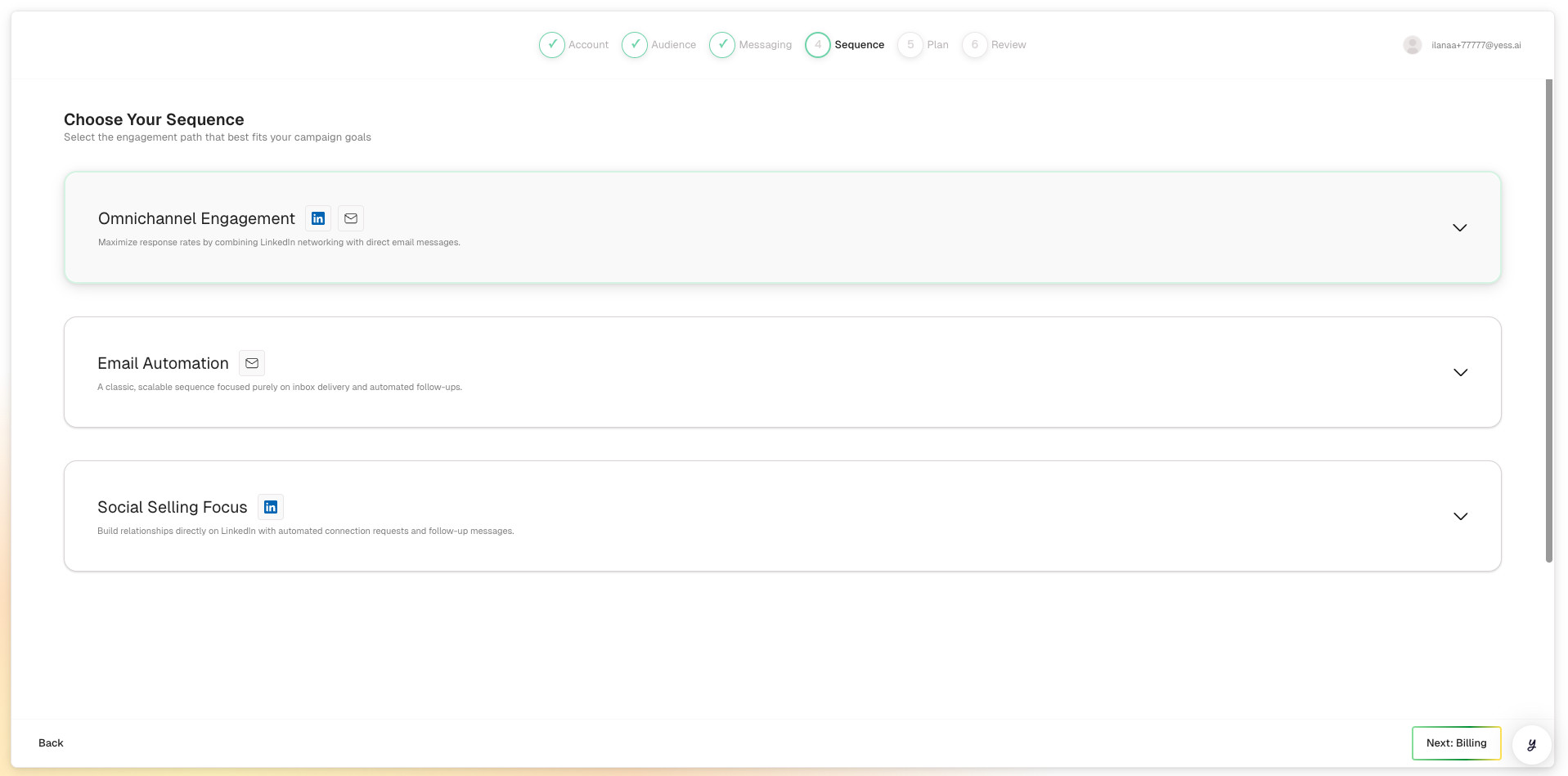
What is a Sequence Strategy?
Think of a sequence strategy as your outreach playbook. It defines:
- Which channels to use (email, LinkedIn, or both)
- What actions to take (send email, connection request, message)
- When to take each action (immediate, after waiting)
- What happens if conditions are met (lead replies, doesn't reply)
Anatomy of a Sequence
Every sequence is made up of building blocks:
Actions
Outreach steps like sending an email or LinkedIn connection request.
Wait Periods
Time gaps between actions (e.g., "wait 3 days").
Conditions
Rules that determine what happens next (e.g., "if no reply").
Example Sequence: "Email + LinkedIn"
Here's what a typical multi-channel sequence looks like:
Day 0: Send personalized email
        ↓
Day 3: Wait 3 days
        ↓
Day 3: Send LinkedIn connection request
        ↓
Day 6: Wait 3 days
        ↓
Day 6: If no reply → Send follow-up email
        ↓
Day 10: Wait 4 days
        ↓
Day 10: If no reply → Send final email
Available Channels
Email outreach includes:
| Action | Description |
|---|---|
| New Email | Opens a new conversation thread |
| Follow-up Email | Continues an existing thread (same subject line) |
| Reply Email | Responds to a lead who replied |
Best for:
- Detailed messages with context
- Sharing links or resources
- Professional first touch
LinkedIn outreach includes:
| Action | Description |
|---|---|
| Connection Request | Send a connection request with a personalized note |
| Direct Message | Message a 1st-degree connection |
| InMail | Message anyone (requires Sales Navigator) |
Best for:
- Building professional relationships
- Reaching leads with hard-to-find emails
- Adding a personal touch
LinkedIn connection request messages are limited to 300 characters. Keep them concise!
How Sequences Execute
When a lead is enrolled in your campaign, their sequence begins:
Sequence Stops When
The sequence stops automatically when:
- Lead replies: Sequence pauses so you can respond personally
- Sequence completes: All steps have been executed
- Lead is paused: You manually pause the lead
- Error occurs: A step fails (e.g., email bounces)
Wait Periods
Wait periods create natural spacing between touchpoints:
| Wait Period | Use Case |
|---|---|
| 1-2 days | Quick follow-ups, urgent campaigns |
| 3-5 days | Standard spacing, gives lead time to respond |
| 7+ days | Final touches, avoiding spam perception |
Best practice: Start with 3-day waits and adjust based on your audience's typical response time.
Conditions (Branching Logic)
Conditions allow your sequence to adapt based on lead behavior:
Common Conditions
| Condition | What It Checks |
|---|---|
| No Reply | Lead hasn't responded to any previous message |
| Email Opened | Lead opened a previous email |
| Link Clicked | Lead clicked a link in your email |
| Connected on LinkedIn | Lead accepted your connection request |
Example Conditional Flow
Send Email
    ↓
Wait 3 days
    ↓
IF email was opened but no reply:
    → Send follow-up with different angle
ELSE IF email wasn't opened:
    → Try LinkedIn connection request
Choosing the Right Strategy
For Cold Outreach
Recommended: Multi-channel (Email + LinkedIn)
- Start with email for detailed context
- Follow with LinkedIn for personal touch
- Multiple touchpoints increase response rates
For Warm Leads
Recommended: Focused email sequence
- Fewer steps needed
- Reference your existing connection
- Direct call-to-action
For Hard-to-Reach Executives
Recommended: LinkedIn-first
- LinkedIn messages often get more attention from senior leaders
- Follow up with email if they connect
- Keep messages concise and value-focused
Personalization in Sequences
Each step in your sequence is personalized by the AI:
- Icebreakers: Opening lines reference recent news or achievements
- Company Context: Messages mention relevant company details
- Role Relevance: Content is tailored to their specific responsibilities
- Continuity: Follow-ups reference previous messages naturally
Your messaging guidance applies to all steps, ensuring consistent tone and talking points throughout.
Strategy Settings
Sequences include configuration options:
| Setting | Description |
|---|---|
| Working Hours | Only send during business hours |
| Manual Approval | Review messages before they send |
| On Failure | What to do if a step fails (skip or retry) |
Best Practices
Multi-Channel Works
Sequences using both email and LinkedIn typically see higher response rates.
Respect Timing
Space touchpoints appropriately—too frequent feels spammy, too sparse loses momentum.
Limit Total Touches
5-7 total touchpoints is usually sufficient. More can feel aggressive.
Have a Strong CTA
Every message should make it easy for the lead to take the next step.
Related Topics
- Campaigns — How sequences fit into campaigns
- Engagements — Individual actions in a sequence
- Create a Campaign — Selecting your strategy